
MCP Support in r-nacos
r-nacos supports MCP through a built-in MCP server and request forwarding. An ordinary HTTP endpoint registered with r-nacos can be exposed directly as an MCP service through r-nacos.
Use Cases
If one or more of your existing applications are already connected to the Nacos/r-nacos service registry and you want to expose MCP services to an AI coding agent or a custom agent, r-nacos requires no application code changes. Configure the corresponding MCP service in the console and it is ready to serve external clients.
If an application already provides a service through an MCP SDK but can run only as a single instance because it is stateful, r-nacos is also an option for enabling clustered deployment.
If the application is not yet registered with r-nacos, you can register it first and then use the r-nacos middleware service. r-nacos is compatible with the Nacos protocol and supports Nacos SDKs in many programming languages, making integration straightforward.
Features
- Manage MCP tools and services in the console. MCP services support version management: the published and draft versions are maintained independently, and an earlier version can be restored quickly.
- Support both the MCP SSE protocol and the MCP Streamable HTTP protocol (recommended).
- Provide a built-in MCP service with request forwarding and several HTTP parameter mappings: pass the original JSON body, convert JSON to form parameters, or convert JSON to URL parameters.
- Deliver high forwarding performance. In a single-node Streamable HTTP benchmark, throughput reached 29,350 QPS. SSE is stateful and currently lacks a suitable benchmarking tool; in theory, despite some additional intra-cluster forwarding, it should still exceed 15,000 QPS.
- Support clustered calls. Multiple requests in one session may reach different r-nacos nodes; r-nacos uses its existing cluster communication layer to route each request to the node that owns the session.
Architecture
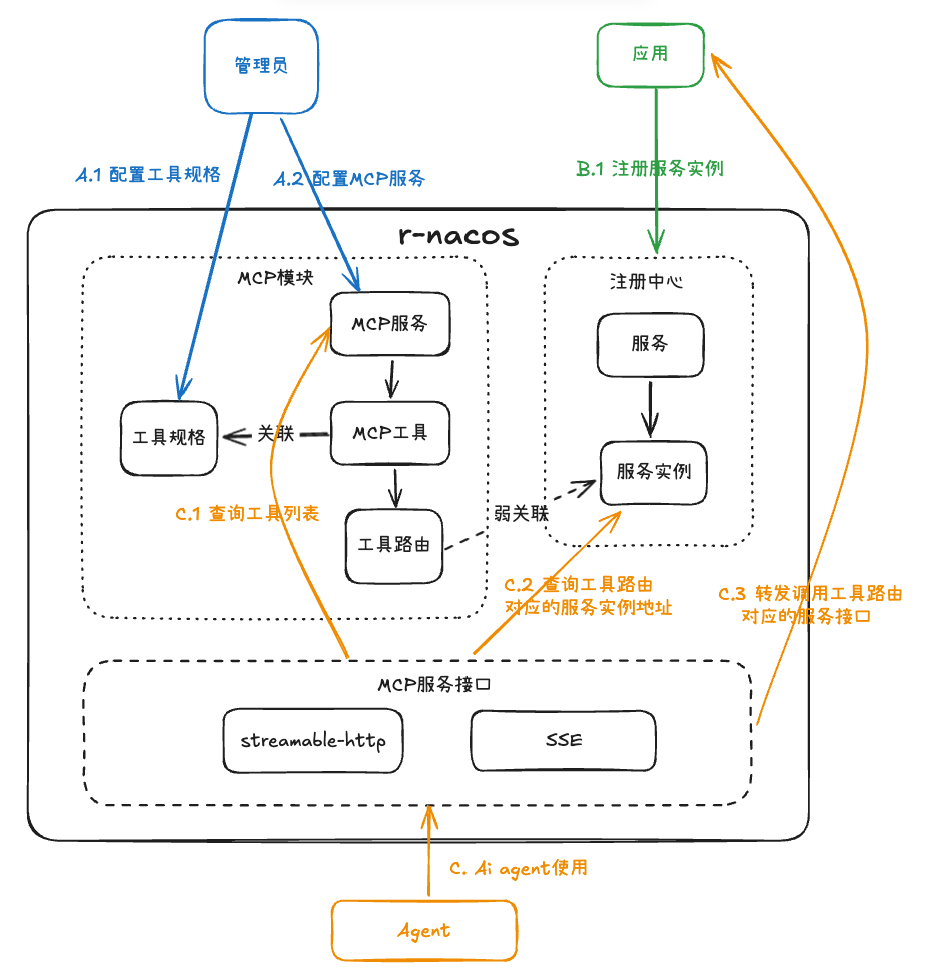
Usage
1. Deploy and Run r-nacos
Use a v0.7.x release that supports MCP services. See the r-nacos deployment guide for details.
2. Create an MCP Tool Specification
A tool specification is the tool description presented to the large language model. It is independent of the concrete implementation, so one specification may have multiple implementations. A tool can also be associated with multiple MCP services, which is the main reason tool specifications are managed separately.
The following is a single-tool example for a large language model (OpenAI):
{
    "type": "function",
    "function": {
        "name": "add",
        "description": "add",
        "parameters": {
            "type": "object",
            "properties": {
                "a": {
                    "type": "number",
                    "description": "the first number"
                },
                "b": {
                    "type": "number",
                    "description": "the second number"
                }
            },
            "required": [
                "a",
                "b"
            ]
        }
    }
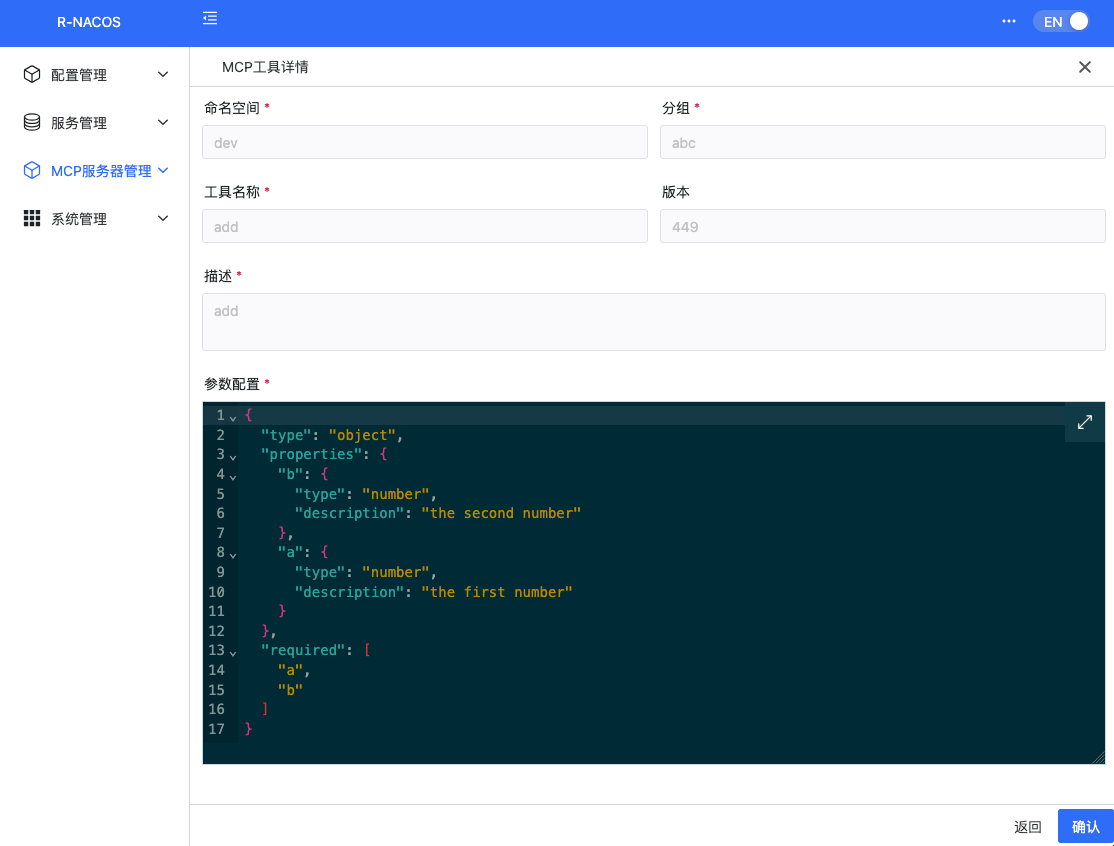
}Ignoring the surrounding format, the specification contains three primary fields: name , description , and parameters . Together with the namespace and group required by r-nacos, a tool specification in r-nacos has five fields.
The details page is shown below:
3. Create an MCP Service
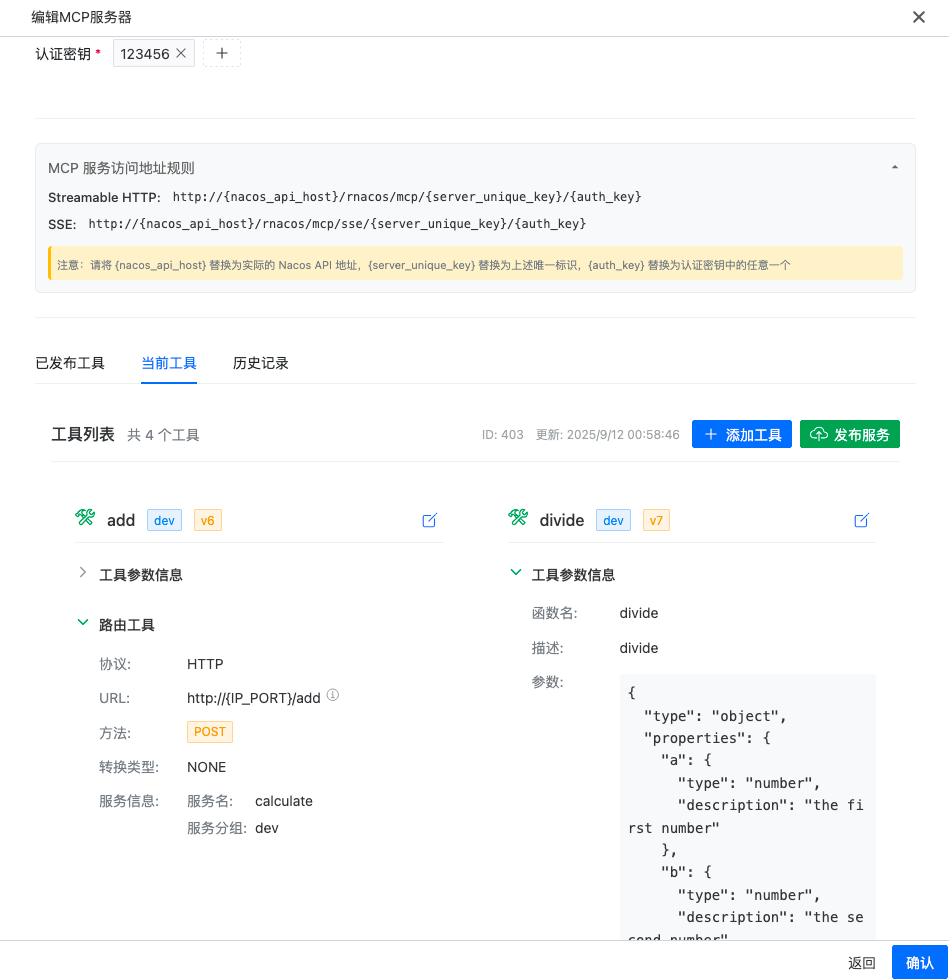
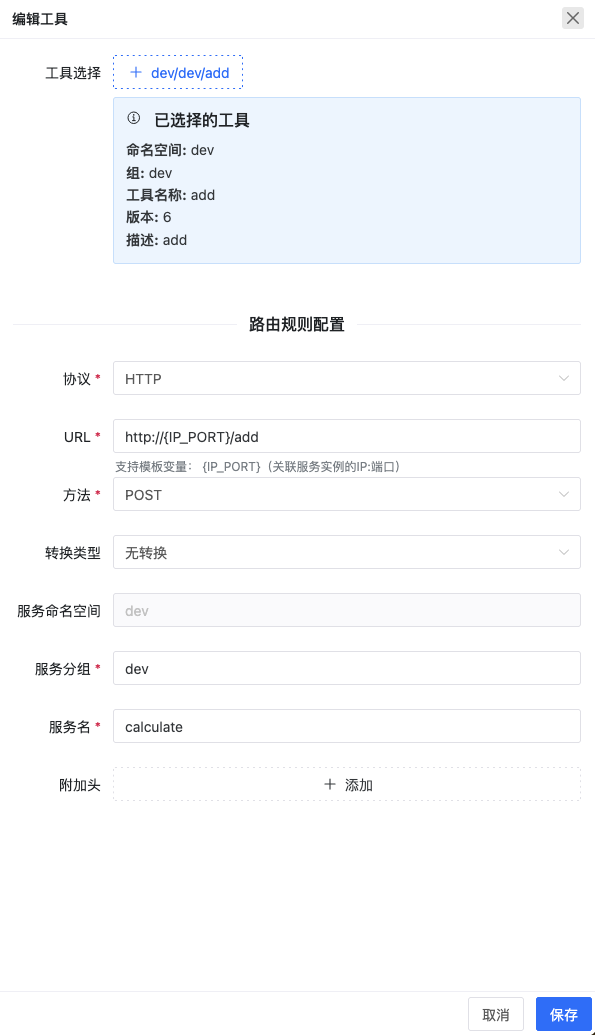
An MCP service can be associated with a set of tools in the same namespace. To support tool calls, each tool requires both a specification and the corresponding call-routing information.
MCP service information:
Editing an individual tool:
Register the Service That Implements the Tool
For examples of a service used by the tool routes above, see the project's Python calculate-api or Rust calculate-api .
Before calling a tool, start the application targeted by the route and register it with r-nacos.
Use the Service
After creating the service, expose it through the following MCP endpoints:
Streamable HTTP:
http://{nacos_api_host}/rnacos/mcp/{server_unique_key}/{auth_key}
SSE:
http://{nacos_api_host}/rnacos/mcp/sse/{server_unique_key}/{auth_key}Example:
Streamable: http://127.0.0.1:8848/rnacos/mcp/calculate/123456
SSE: http://127.0.0.1:8848/rnacos/mcp/sse/calculate/123456Verify the Service
Run the official inspector with npx @modelcontextprotocol/inspector , then inspect and invoke the tools in your browser.
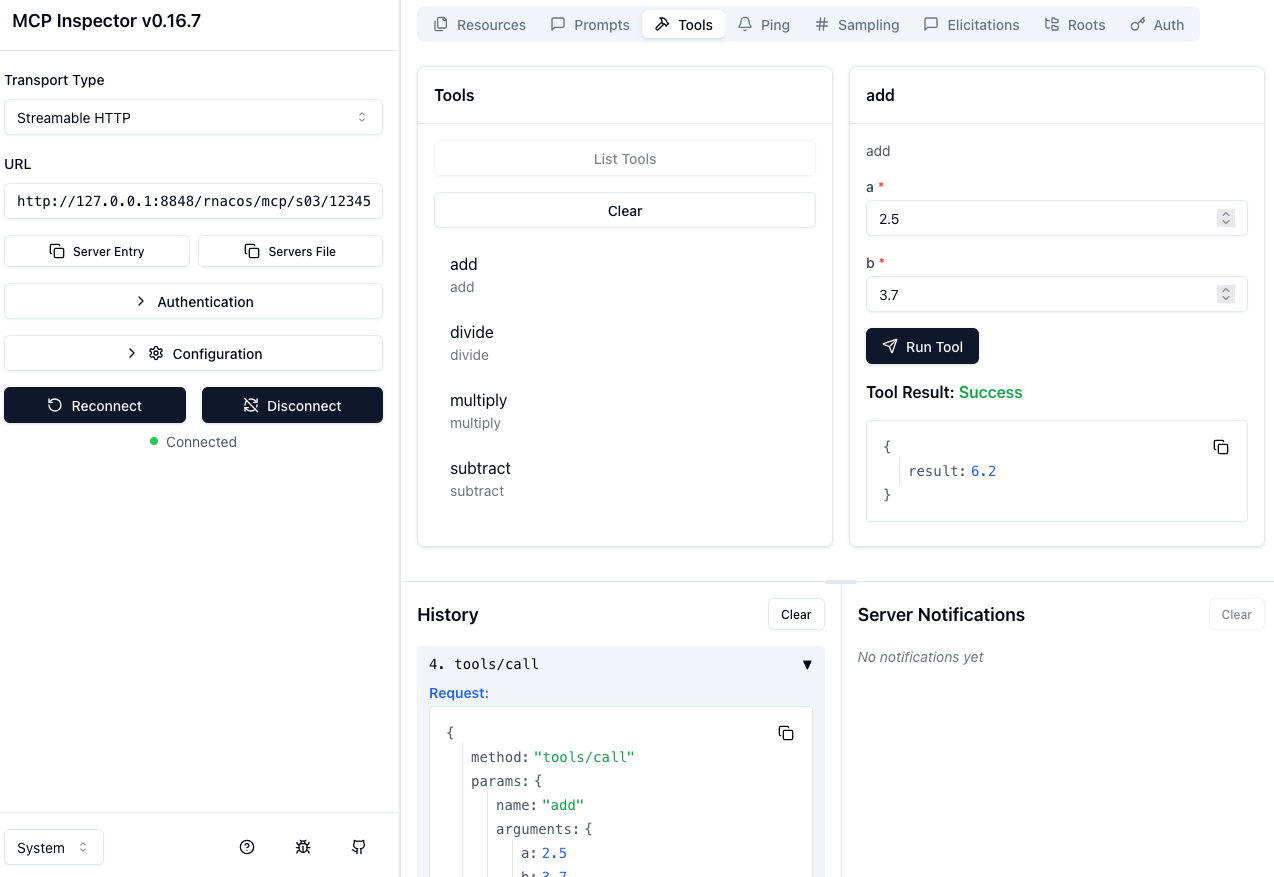
You can also configure the MCP service in Claude Code, Roo Code, OpenCode, another agent, or a custom agent.